
Espresso: World news in a shot
The Economist NewspaperNews & Magazines
4.72.77K Reviews
- Version
- 3.42.0
- Installs
- 1.00M
- Age Rating
- Everyone
Screenshots



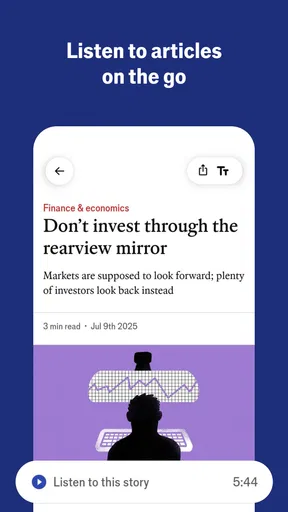
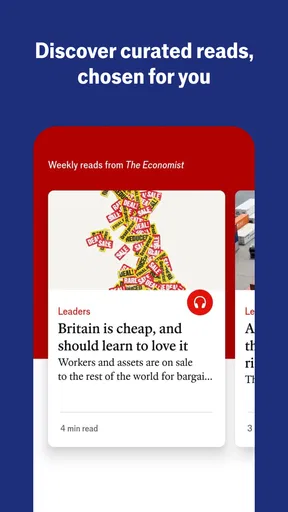
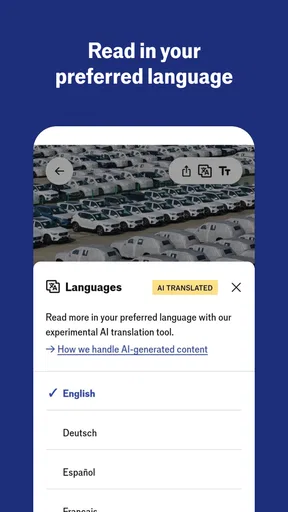

Our Review of Espresso: World news in a shot
 Analysis by Appyee
I usually reach for Espresso: World news in a shot when I want a quick sense of what is happening without opening several news feeds and losing half an hour to headlines. Its short-form approach makes it easier to fit a news check into a commute, a coffee break, or the few minutes before a meeting. I see it as a useful starting point for the day, not a replacement for reading deeply when a story matters.
A simple routine that works
My most practical routine is to scan the top stories first, then open only the summaries that connect to something I genuinely want to understand. That small pause helps me avoid treating every headline as equally important. If a topic needs more context, I follow through to the full article rather than relying on the short version alone.
The app is a free news and magazines app from The Economist Newspaper, and it has a 4.7 average from around 34,000 ratings. More than a million people have installed it, which suggests it has found an audience among readers who like a compact daily briefing. It is rated for Everyone, while in-app purchases range from $0.99 to $99.00 per item, so I would check the purchase details before committing to anything beyond the free experience.
That distinction matters if you are choosing between a quick briefing and a fuller news subscription. I would start by using the short summaries to identify stories worth my attention, then decide whether the available reading options suit my habits. The app’s value is clearest when I want a manageable overview; it is less compelling if I expect every story to be covered at long-form depth inside a brief scan.
Settings and habits worth checking
First things first, the interface of Espresso is super sleek. It’s designed to be user-friendly, making navigation a breeze. The app opens up to a dashboard that presents the top stories in a neat, digestible format. You get the headlines, a brief summary, and if you're interested, you can dive into the full article.
One of my favorite features has to be the customizable settings. You can tailor the news categories to suit your interests, whether it’s politics, tech, or entertainment. It’s like having a personal news curator at your fingertips. Plus, there's a nifty option to save articles for later. Perfect for when you spot something juicy but don’t have the time to read it immediately.
I would check those topic choices early rather than accepting a feed that feels only vaguely relevant. A narrow selection can make a short briefing more useful, while a broader mix is better if you want to notice developments outside your usual interests. Saved stories also work best when I treat them as a small reading queue: save something because I plan to return to it, then clear it once I have read it. Otherwise, “read later” can quietly become another pile of unread news.
Where brevity helps—and where it stops
The app lives up to its name by delivering news in, well, a shot. The summaries are concise yet informative, giving you all the essential details without any fluff. This is perfect for those of us who want to stay informed but don’t have the luxury of time to scroll through endless articles.
That compression is a strength when I need orientation, but it also sets a limit. A short summary can tell me what happened and why it may matter; it cannot always provide the background, competing interpretations, or local detail that a complex subject deserves. When a decision depends on a story, I would use the summary as a signpost and read further rather than treating it as the whole account.
And let’s talk about the notifications. Unlike other apps that bombard you with alerts every five minutes, Espresso manages to strike a balance. You get notified of major breaking news, but it doesn’t feel intrusive. It’s like having your personal news assistant who knows exactly when to give you a nudge.
For a calmer routine, I would still check the notification settings and keep only the alerts that add value to my day. A person who wants a quiet morning can rely on opening the app at a chosen time; someone following a developing event may prefer timely nudges. Neither approach is automatically better. The useful setting is the one that keeps the app from interrupting work while still helping you catch news you would otherwise miss.
Making a quick briefing part of the day
I find a quick briefing works best when it has a clear job: help me decide what deserves more attention, rather than trying to cover everything. I’d keep the routine light enough to repeat on a busy morning and save deeper reading for a time when I can give it proper focus. From there, the next useful step is to shape the app’s settings around the kind of day I actually have.
A repeatable workflow for busy days
Here is a realistic way I would use it: during breakfast, I scan the main stories, open one or two summaries, and save a longer read for a quieter moment. On a commute, if I have a connection, I can decide which items deserve attention; when connectivity is unreliable, the offline access described in the app makes saved or downloaded reading useful. I would prepare what I want to read before leaving rather than assume every item will be available offline automatically.
That last distinction is worth keeping in mind. Offline reading is most helpful as a deliberate habit: choose articles while connected, then return to them when the signal drops. It can turn a train ride or a waiting-room visit into a convenient reading window, but it is not a reason to postpone choosing the stories until the connection has already disappeared.
How it compares with a broad news feed
Compared with a general-purpose news app that presents a continuous stream of headlines, Espresso feels better suited to a brief, guided check-in. A broad feed can be preferable when I want to compare many outlets, follow a niche subject closely, or keep browsing throughout the day. Espresso’s more focused format helps when I want a manageable selection and a clear stopping point instead of an endless scroll.
I also would not use any concise news app as my only source for a complicated or fast-changing issue. Different publications can frame the same event differently, and a short briefing necessarily leaves some detail out. For major decisions, I would use Espresso to spot the story, then consult fuller reporting and relevant primary information. That is a sensible division of labor, not a flaw unique to this app.
Who is likely to enjoy it
I think it suits readers who want a regular overview, prefer concise writing, and appreciate being able to save an article for later. It can also help someone rebuild a news habit: a short check is easier to sustain than promising to read a stack of long pieces every morning. The customizable categories give that routine a more personal focus without requiring a reader to assemble a feed from scratch.
It is probably not the right fit for someone who wants exhaustive coverage, constant live updates, or a deep archive organized around a specialist interest. If your favorite part of news is comparing several publications side by side, a broader reader or direct visits to individual outlets may work better. And if short summaries leave you wanting context every time, the format may feel like an extra step rather than a time-saver.
What to know before settling in
The app was released on November 4, 2014, and its current version is 3.40.0, with iOS and Android compatibility depending on an operating system version of at least 8.0. I would check that requirement against the device I plan to use, especially if it is an older phone. The free starting point makes it easy to try the reading rhythm, while the listed in-app purchase range is a reminder to review any purchase screen carefully if I decide to explore paid options.
One practical question is whether the app can replace my existing news routine. For me, that depends on what the routine is meant to do: it can take the place of aimless headline browsing when I only need a quick overview, but it should not replace deeper reading for subjects I follow closely. Another is whether saved items are worth using. They are, provided I save selectively and return to them; otherwise, the queue becomes a second feed to manage.
Keeping perspective while reading
In a world full of similar apps, what makes Espresso different? For starters, it’s the minimalist design that makes reading a pleasure rather than a chore. The lack of clutter lets you focus solely on the content, making your news reading experience much more enjoyable.
Moreover, the app’s commitment to providing balanced viewpoints is commendable. In an age of bias and misinformation, having a news source that aims for neutrality is refreshing. It’s like getting a clear view of the world, without the fog of sensationalism clouding your judgment.
I still think it is wise to separate a readable presentation from a guarantee that every account will feel complete or impartial to every reader. I use concise coverage to orient myself, then look for fuller context when the subject is disputed, technical, or personally important. That habit makes the app more useful, because it lets brevity save time without asking it to do a job it was not built for.
Mastering the short read
Another standout feature is the offline access. Traveling, commuting, or just in an area with spotty internet? No worries. You can download articles when you have a connection and read them at your convenience.
Once the basic routine is established, I would keep it intentionally small: tune the categories, decide whether alerts suit my day, scan the top stories, and save only pieces I have a real reason to revisit. Those choices reinforce one another. A focused feed reduces browsing, selective saving avoids backlog, and a regular check-in makes notifications less necessary for readers who prefer control over interruption.
In conclusion, Espresso: World news in a shot is a must-have for anyone looking to stay updated without getting bogged down by lengthy articles or overwhelming notifications. It’s efficient, intuitive, and tailored to fit into our busy lives seamlessly. If you’re tired of the traditional news app experience and want something that respects your time, give Espresso a try. It’s like a shot of caffeine for your news consumption habits—quick, effective, and just what you need to kickstart your day.
My recommendation is a little more specific: I would try it if I wanted a calmer, repeatable way to catch up and was happy to treat summaries as a starting point. I would skip it if I needed a comprehensive live-news desk or expected short pieces to answer every follow-up question. Used with selective categories, sensible notification choices, and a habit of reading beyond the summary when the stakes are high, it makes a compact daily briefing feel genuinely practical.
Verdict
Strengths of Espresso: World news in a shot
- Clean and intuitive user interface.
- Offers diverse global news coverage.
- Customizable news categories.
- Offline reading mode available.
- Supports multiple languages.
Limitations of Espresso: World news in a shot
- Limited multimedia content.
- No option for user comments.
- Ads in free version can be intrusive.
- Some articles lack depth.
- Requires internet for updates.
Other Releases by The Economist Newspaper
View All
The Economist - World News
News & Magazines4.9
Similar Picks in This Category
View All
Google News - Daily Headlines
Google LLC4.0

X
X Corp.4.8

Flipboard:Your Social Magazine
Flipboard3.4

Opera News: breaking & local
Opera4.5

Hindi News by Dainik Bhaskar
Dainik Bhaskar Group4.0

Way2News Daily News App
Way2News ( Formerly Way2SMS )4.6
Frequently Asked Questions
What is Espresso: World News in a Shot?
Espresso: World News in a Shot is a news app designed to deliver concise and comprehensive updates from around the globe. It tailors its content to provide short, impactful news bites, making it perfect for users who want to stay informed but have limited time. With a focus on clarity, the app covers a wide range of topics, ensuring users receive a well-rounded view of current events.
Is Espresso available for both Android and iOS devices?
Yes, Espresso: World News in a Shot is available for both Android and iOS platforms. Users can download the app from the Google Play Store or the Apple App Store, ensuring accessibility for most smartphones and tablets. The app is optimized for both operating systems, providing a seamless user experience regardless of the device.
Does Espresso offer personalized news content?
Espresso provides a personalized news experience by allowing users to select their preferred topics and regions of interest. This customization ensures that users receive news that is most relevant to them, enhancing engagement and satisfaction. The app continuously updates its content, keeping users informed about developments in their chosen areas.
Is there a subscription fee for using Espresso?
Espresso offers both free and premium versions of the app. The free version provides access to a selection of daily news articles. For users who want an ad-free experience and access to exclusive content, a subscription option is available. Details about pricing and features can be found within the app’s settings.
How does Espresso ensure the credibility of its news sources?
Espresso partners with reputable news agencies and employs a team of editors to ensure the accuracy and reliability of its content. The app prioritizes sourcing from well-established media outlets, and every article is reviewed before publication. This commitment to credibility helps users trust the information they receive.
